

Latest Version
Rocky Sand Studio Ltd.
Entertainment
Mac
$7.99
1510144108
Report a Problem
More About MKStreamer Review
The Local Video Playback Hurdle on Mac
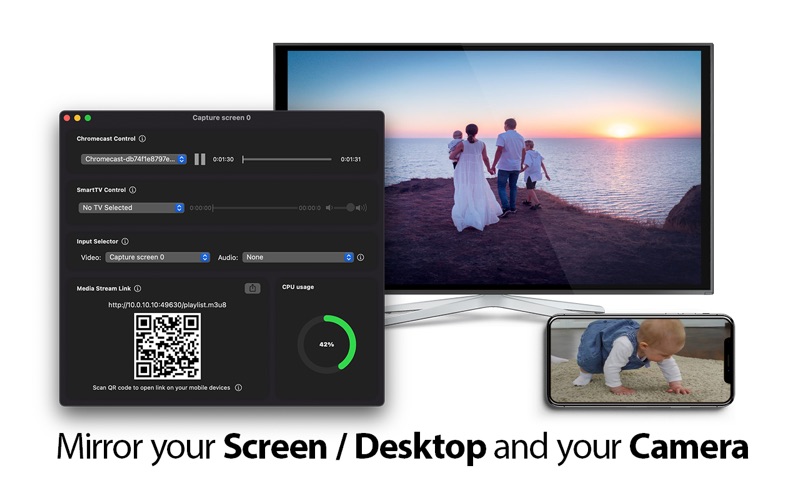
Many Mac users face a common, frustrating obstacle: attempting to play high-quality video files on a large home screen only to run into format compatibility issues. Dragging cables across the room or converting massive files before viewing is a hassle of the past. The MKStreamer local video streaming utility offers an elegant, lightweight solution to bridge the gap between your macOS device and your living room television.
Developed by Rocky Sand Studio Ltd., this utility sits on your Mac and serves as a direct pipeline to your home network’s media players. Instead of dealing with complex server configurations, it aims to deliver high-quality local streaming with a single click.
Key Features of MKStreamer Local Video Streaming
This software is built around simplicity, handling the heavy lifting of media transcribing and broadcasting in the background. Here are its standout capabilities:
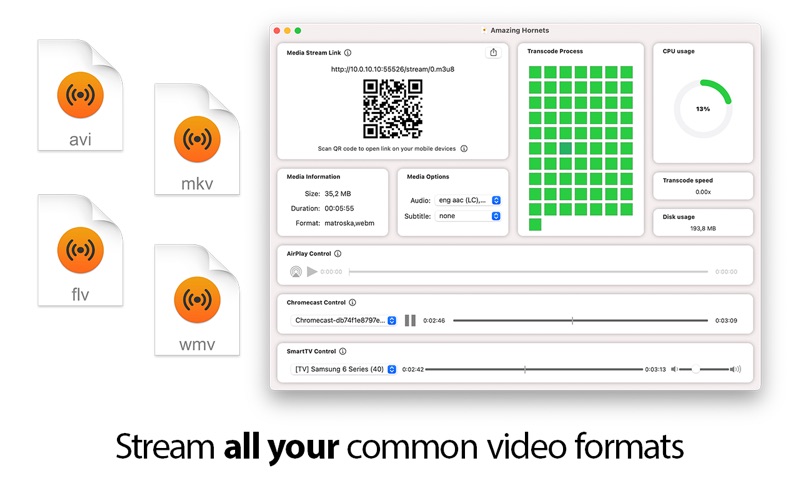
- Broad Format Compatibility: Stream popular formats like .mkv, .avi, .wmv, and more without tedious pre-conversion.
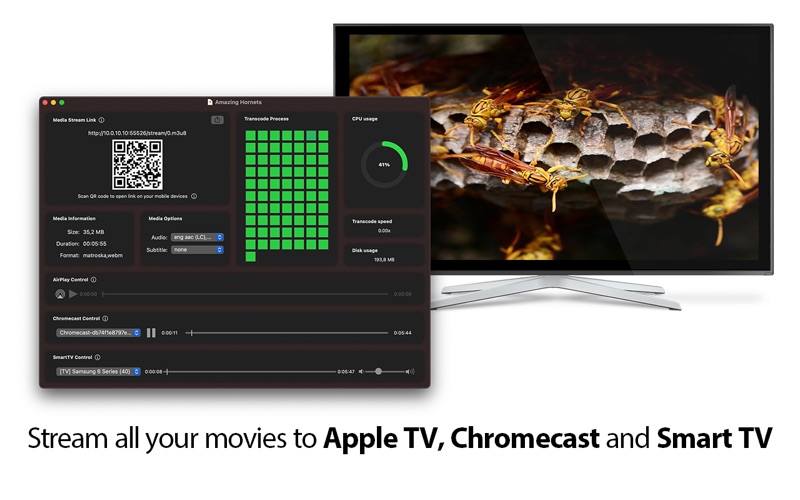
- Multi-Device Casting: Easily AirPlay files to your Apple TV, or cast your favorite movies directly to Smart TVs and Chromecast devices.
- Smart Subtitle Integration: Automatically detect and load available subtitles, with support for alternate audio tracks and multilingual setups.
- Resource Management: Features adjustable performance settings to optimize CPU and disk usage, ensuring your Mac runs smoothly during playback.
- Simultaneous Streams: Manage and broadcast multiple video streams across your local network at the same time.
Seamless Mobile Integration via QR Codes
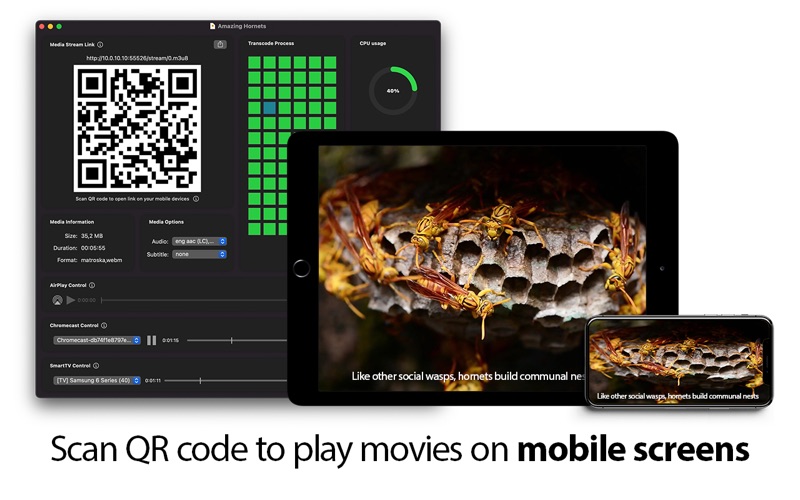
One of the most convenient design choices in this application is how it handles mobile viewing. If you want to transition your viewing experience from your Mac to an iPhone or iPad, you do not need to type in complicated IP addresses. The software generates a unique QR code on your screen. By pointing your iOS or iPadOS camera at the screen, you can immediately launch the stream and continue watching your video on your mobile device.
Important Network Requirements
Because the tool utilizes the robust HTTP Live Streaming (HLS) protocol developed by Apple, it relies entirely on your local area network. To ensure uninterrupted playback, your Mac and the receiving playback devices (such as your Apple TV, Smart TV, or mobile device) must be connected to the exact same local network, whether via a stable Wi-Fi connection or a wired Ethernet setup.
Final Verdict
For Mac owners looking to unlock their local media library without configuring heavy, complex media servers, this tool provides a highly focused, efficient alternative. It simplifies local casting to a few clicks while preserving advanced features like audio track selection and resource optimization.
To learn more or purchase the application, visit the official Mac App Store page.
Rate the App
User Reviews
Other Apps in This Category


Popular Apps










Editor's Choice